Overview
This release delivers improvements across File viewing, and user experience, alongside a set of new features designed to enhance day-to-day usability and integration capabilities. New Features include Enhancements to Various microapps, New “My Inbox” in casefiles, inclusion of Class and IACS Rules and Guide to Port Entry in Library, Improvements in the use of casefiles such as enabling email client features, improvements in chat experience, etc.New Features / Improvements
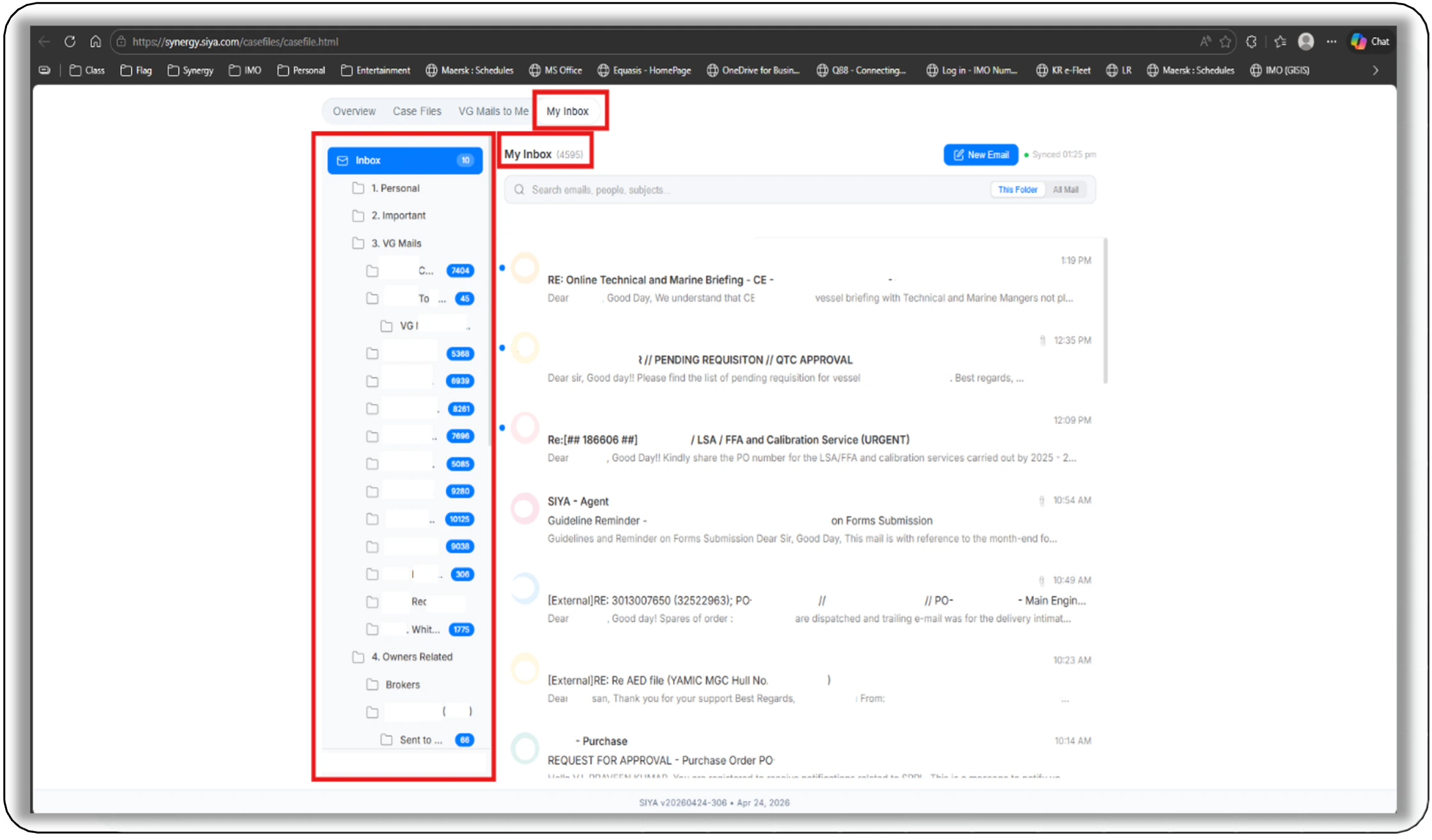
- My Inbox in Casefiles: Stay ahead of your mail with your inbox in SIYA — Stay ahead of your Inbox in Outlook right here in SIYA Case files with all Mails available as per your personal inbox structure in Outlook. Replying requires Microsoft 365 to be connected.
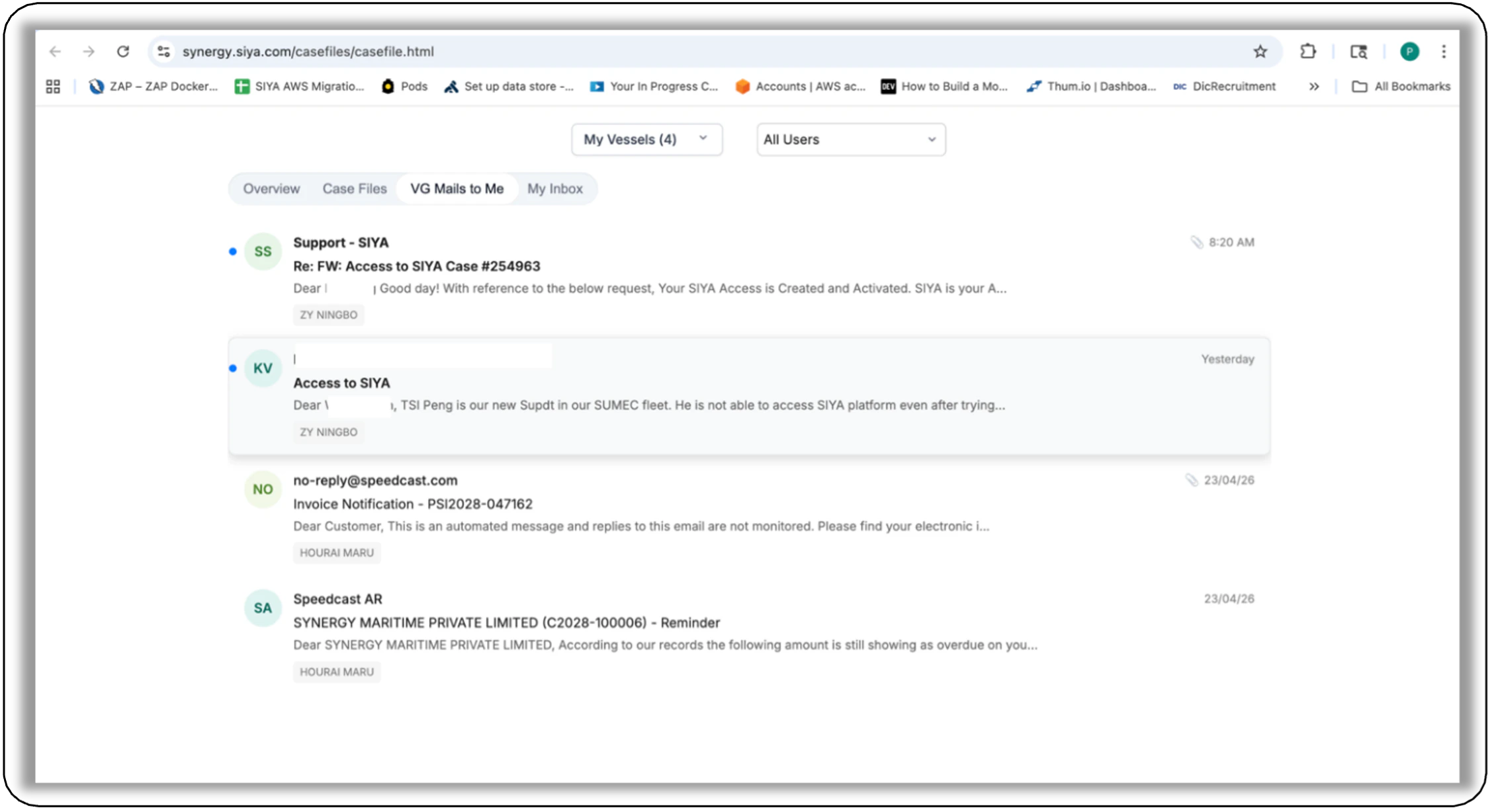
- Casefiles: “VG Mails to Me” Outlook Integration - Now the full email client embedded enabling View, Reply, forward, BCC support and Compose with Attachments.
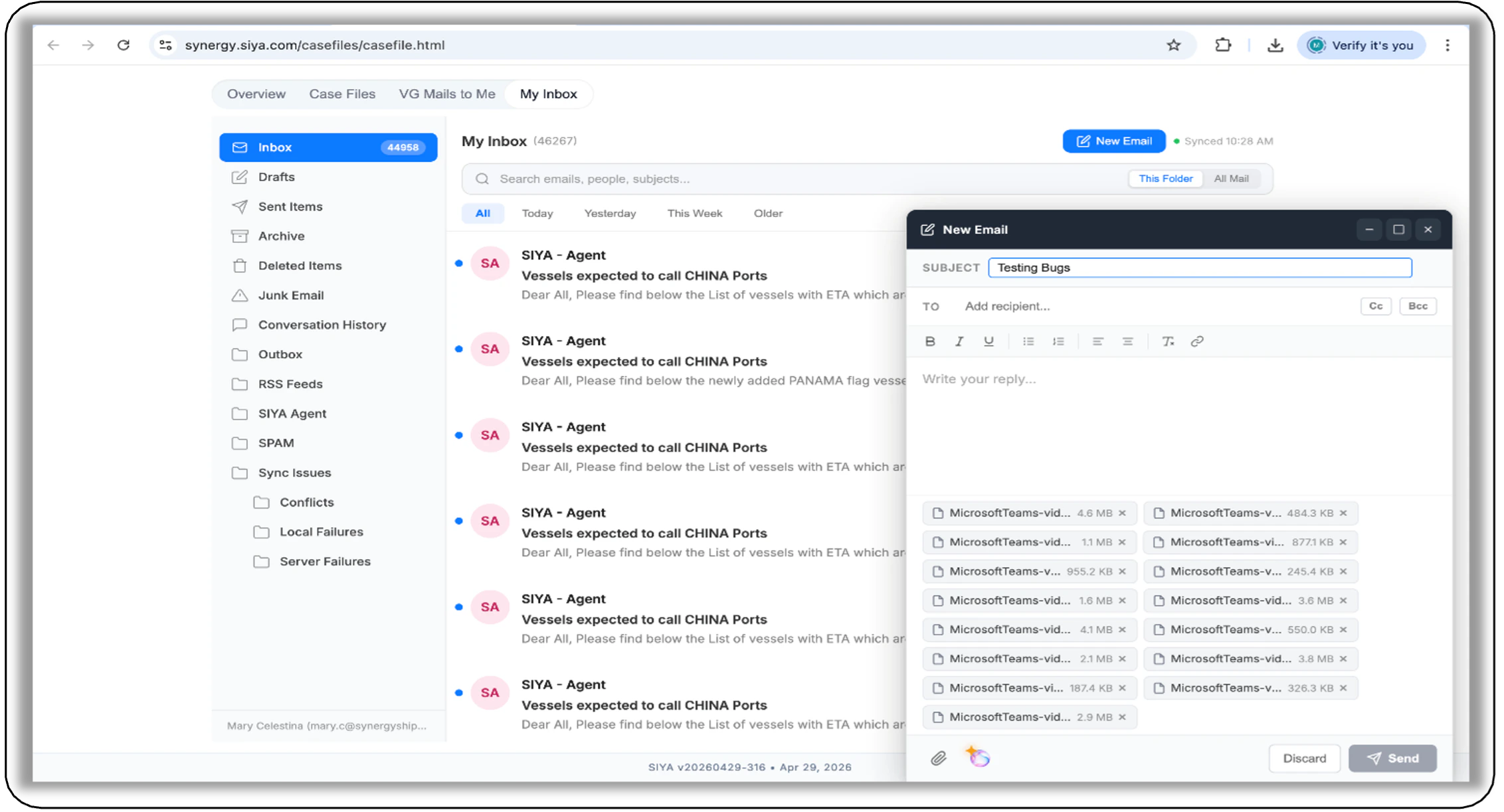
- New Mail and Mail reply Compose window: — A dedicated composing window with attachment Handling for New Mail and mail reply created with expand / collapse option.
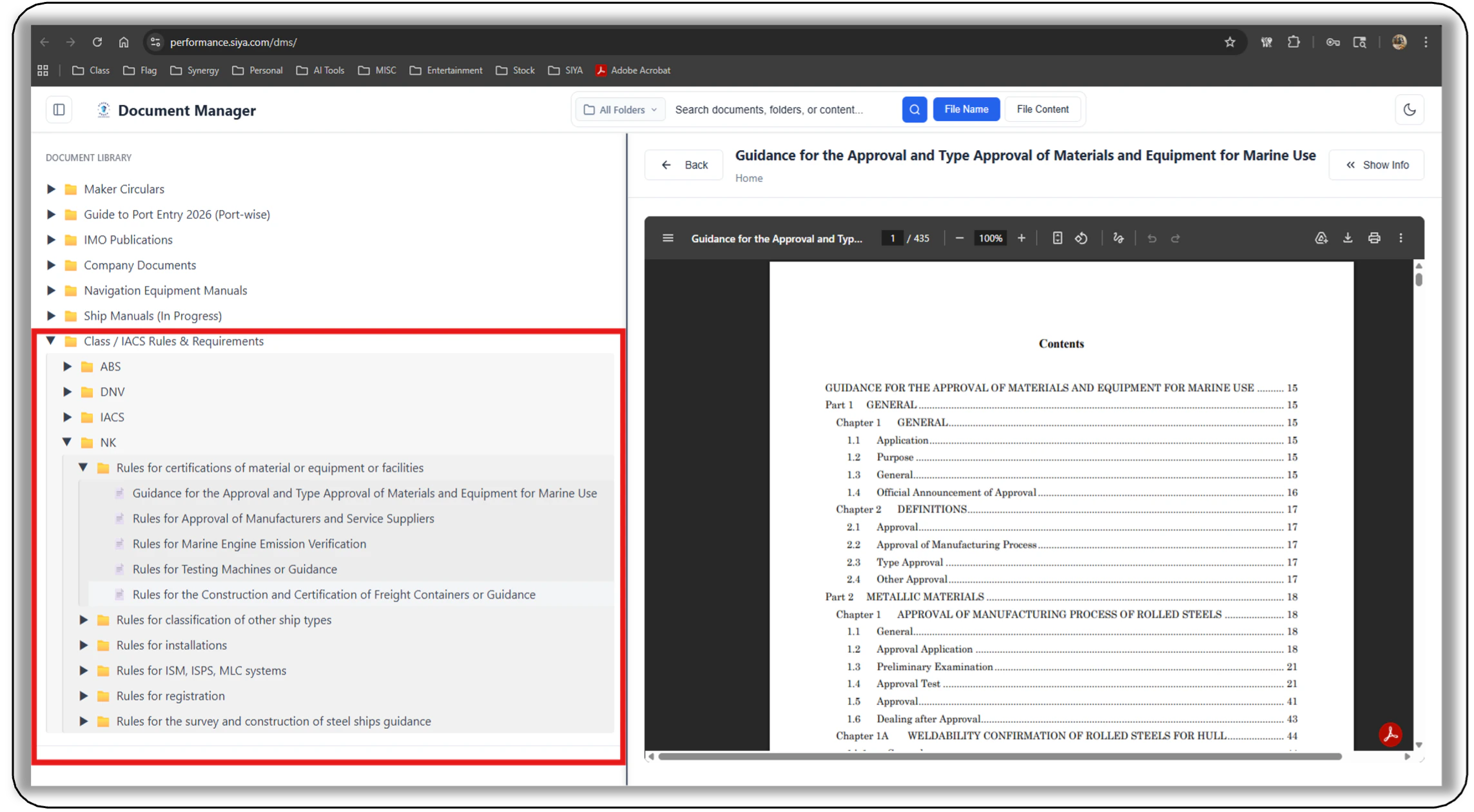
- Class and IACS Rules and Requirements: Now Available in SIYA Library
- Class Rules and Requirements for all Major Classification societies are being brought into the SIYA Library. So far 3 Classes rules have been brought in. Other classes will follow soon.
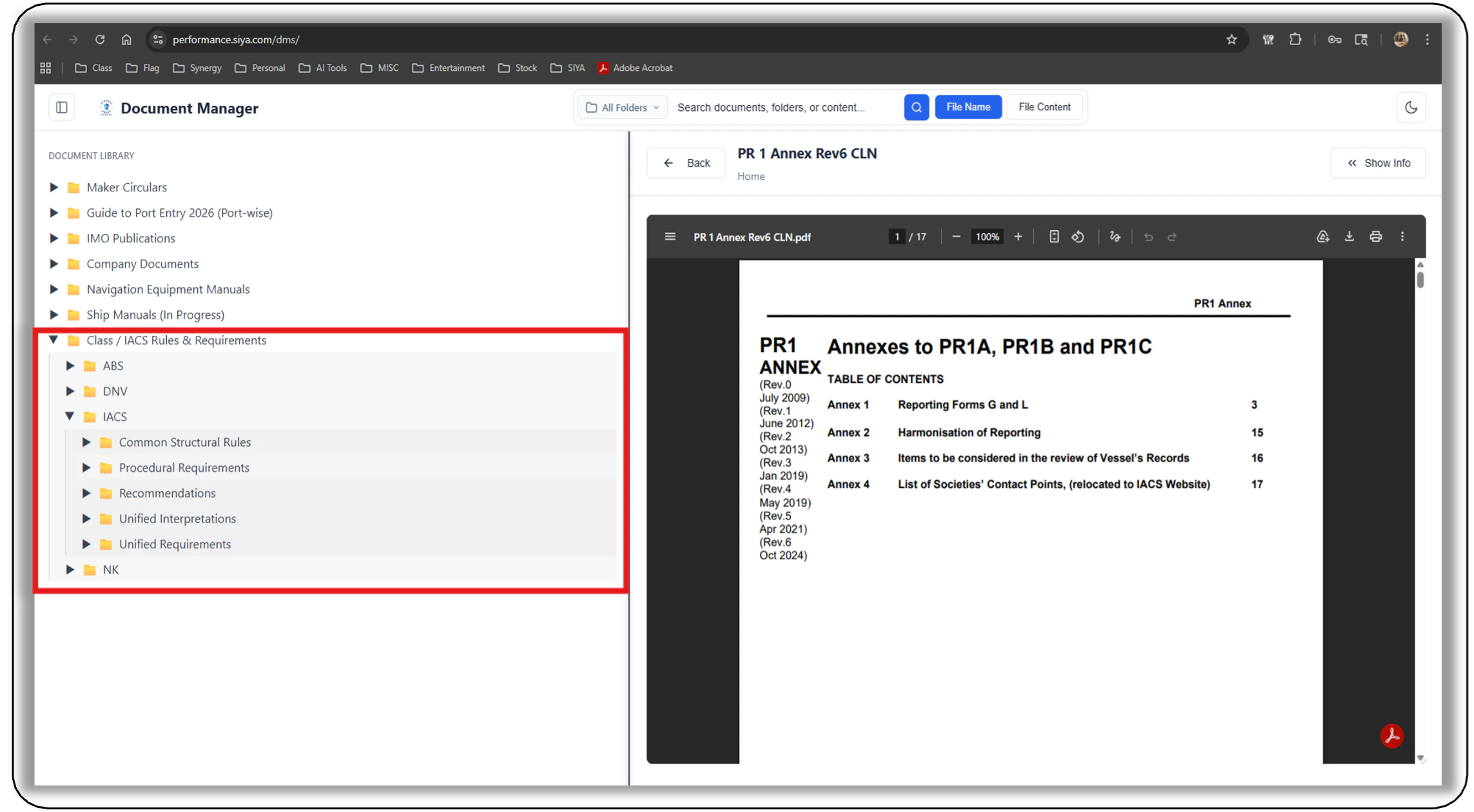
- IACS Requirements and Guidance are now included in SIYA.
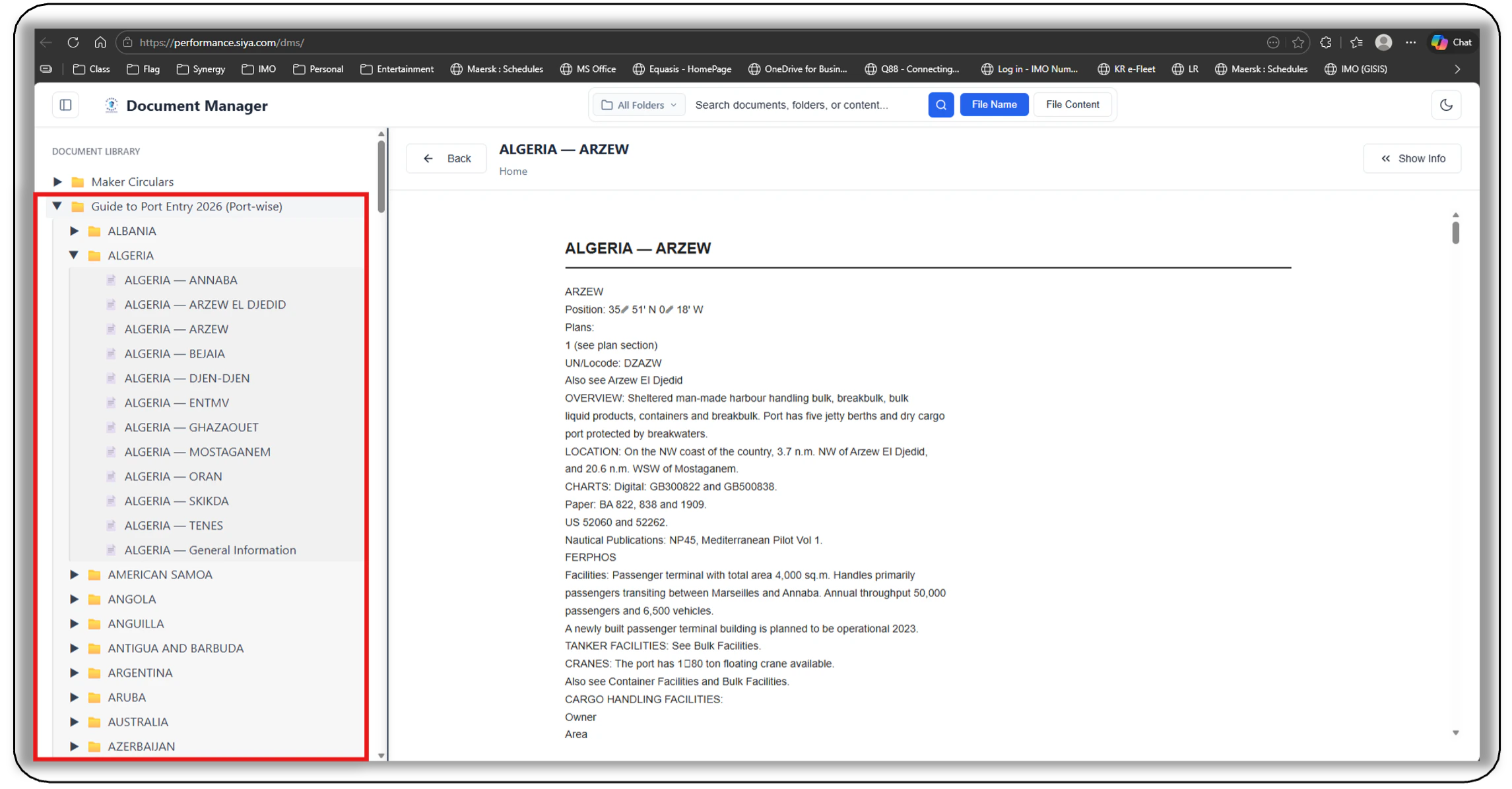
- Guide to Port entry: The Latest version of Guide to Port Entry in Library — The Latest version of guide to Port entry available in Library completely searchable within the library and in chat.
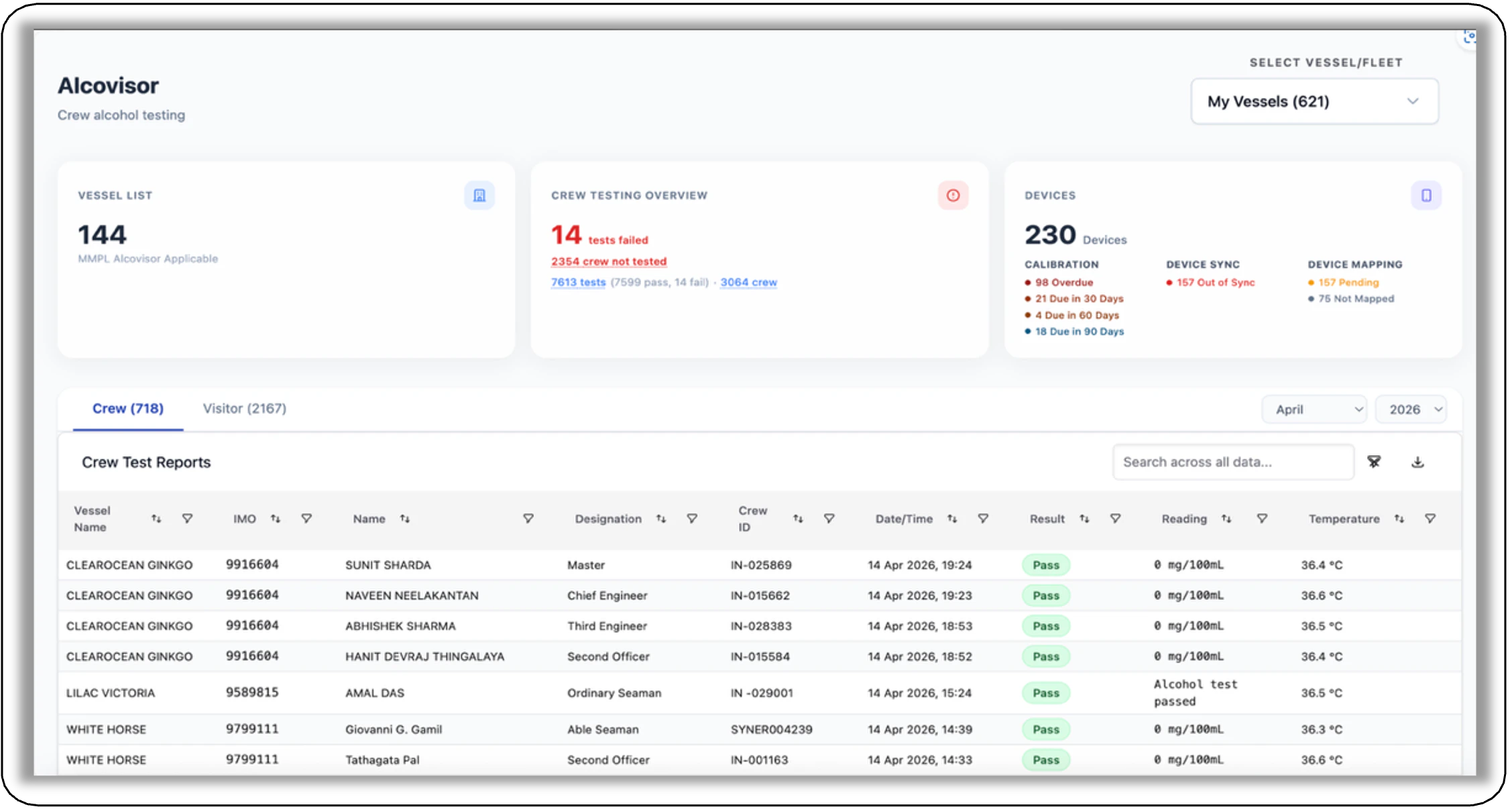
- Alcovisor Micro App enhancements: Enhanced crew testing overview and data segregation — The dashboard now combines test results and “crew not tested” into a single “Crew Testing Overview” metric card. Crew and visitor data are separated into distinct tabs for better clarity, along with newly added month-wise and year-wise filters for improved analysis.
- Purchase Micro App enhancements: New enhancements Added
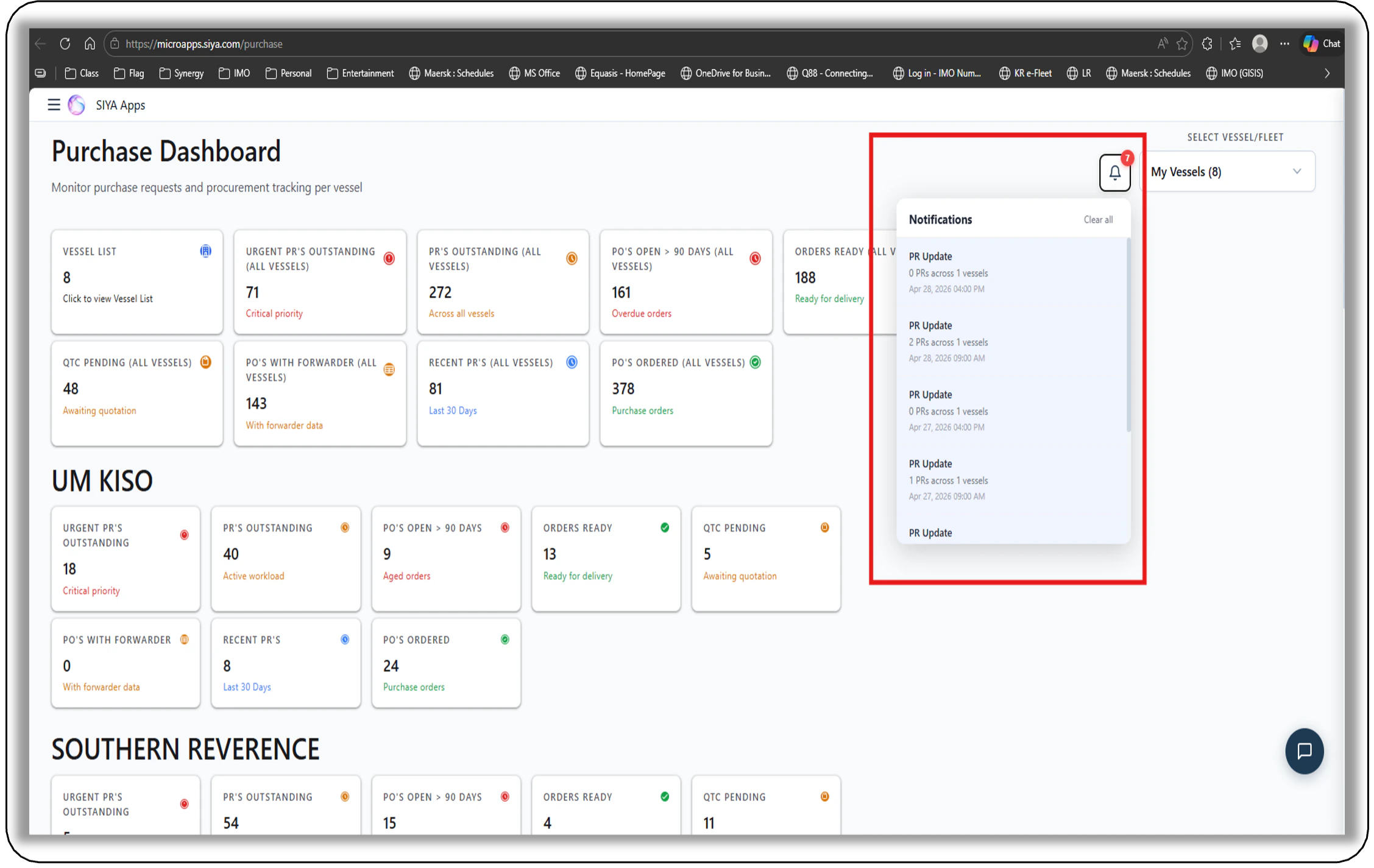
- A Notification Icon is Included providing notification when New PRs are raised.
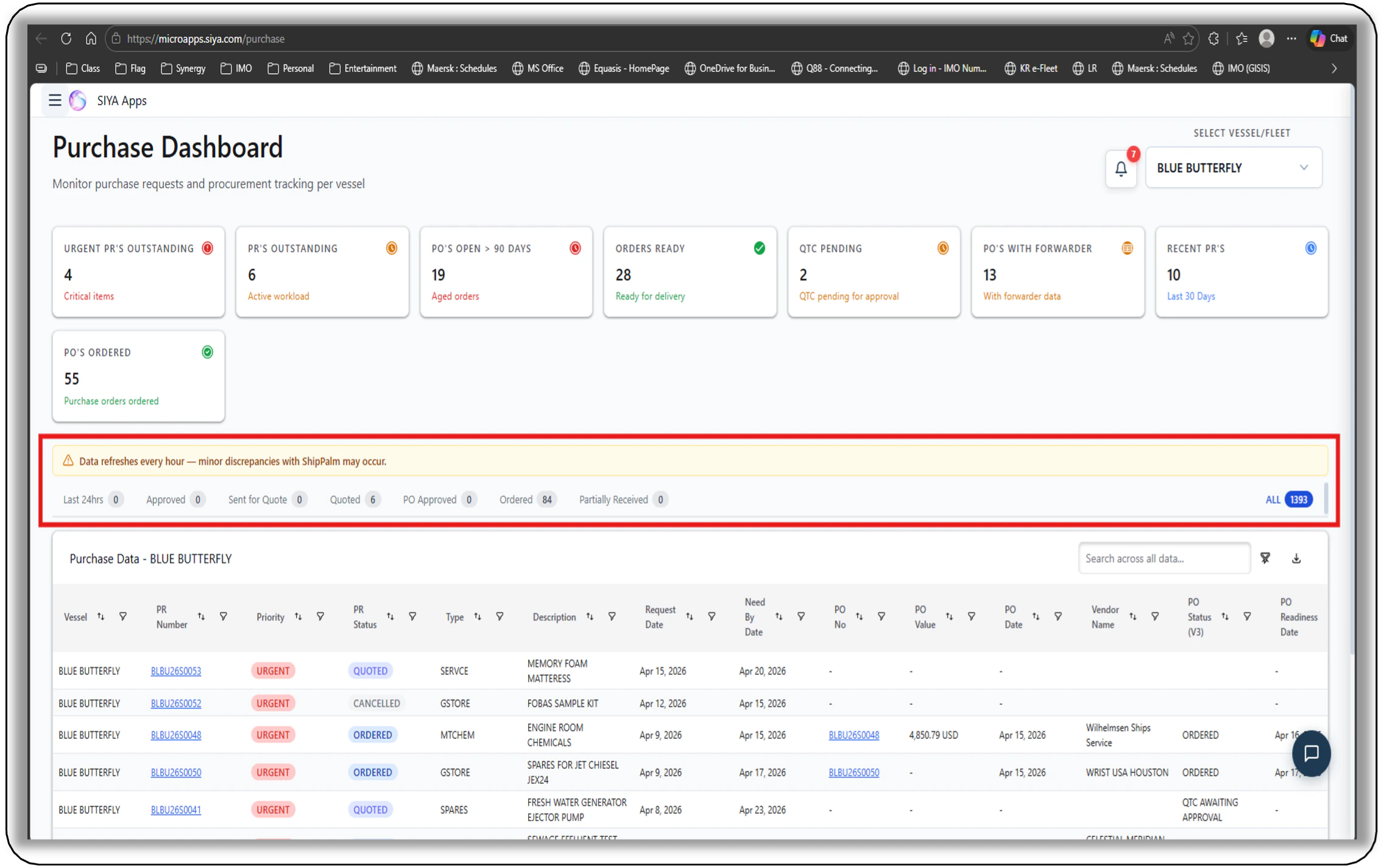
- Enhanced usability with a top-level table filter and a new progress bar showing RFQ and QTC status.
- Voyage Monitoring Micro App enhancements: New feature and enhancements Added -
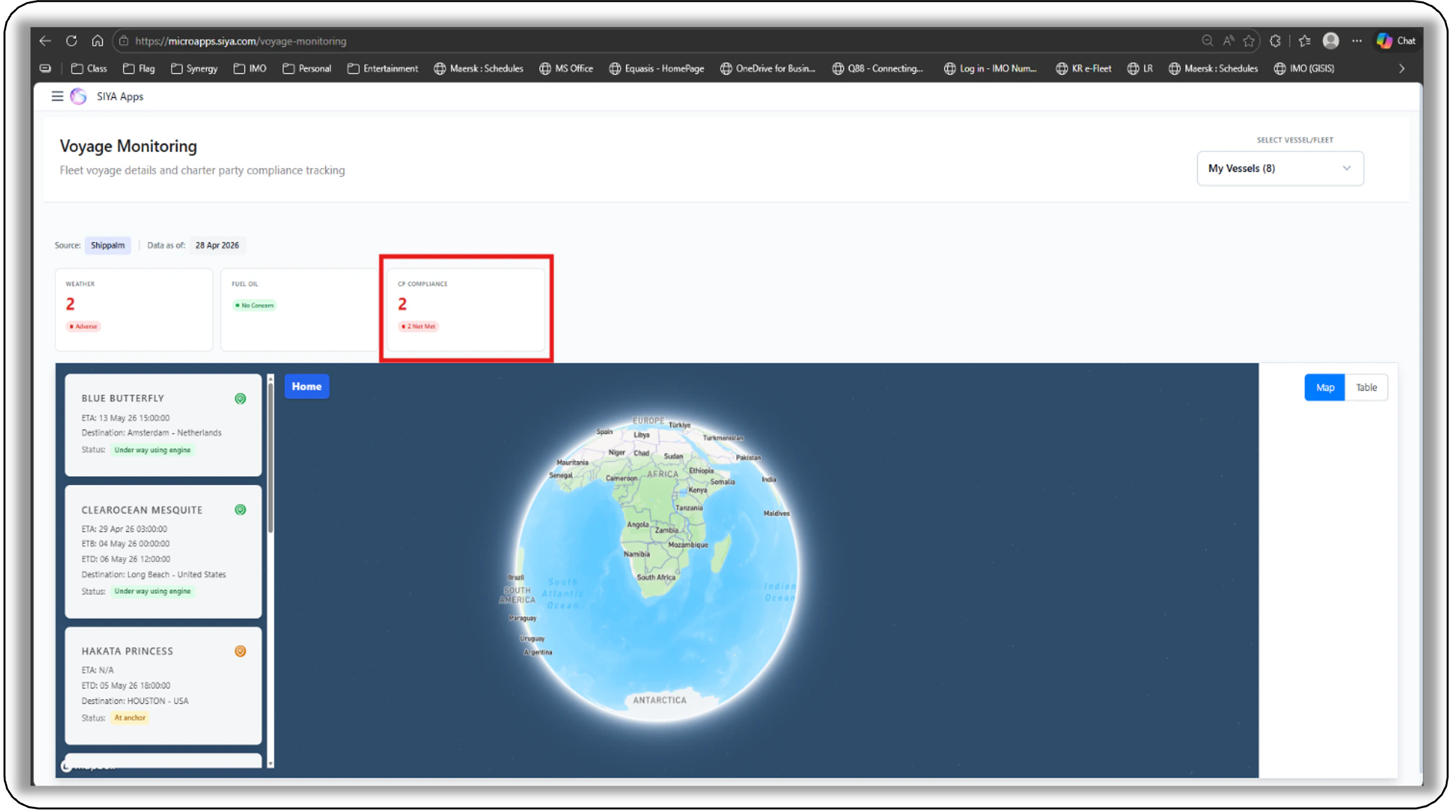
- Added a CP Compliance Summary card to highlight vessels with “Not Met” status for quick overview under Fleet or My Vessels Selection View.
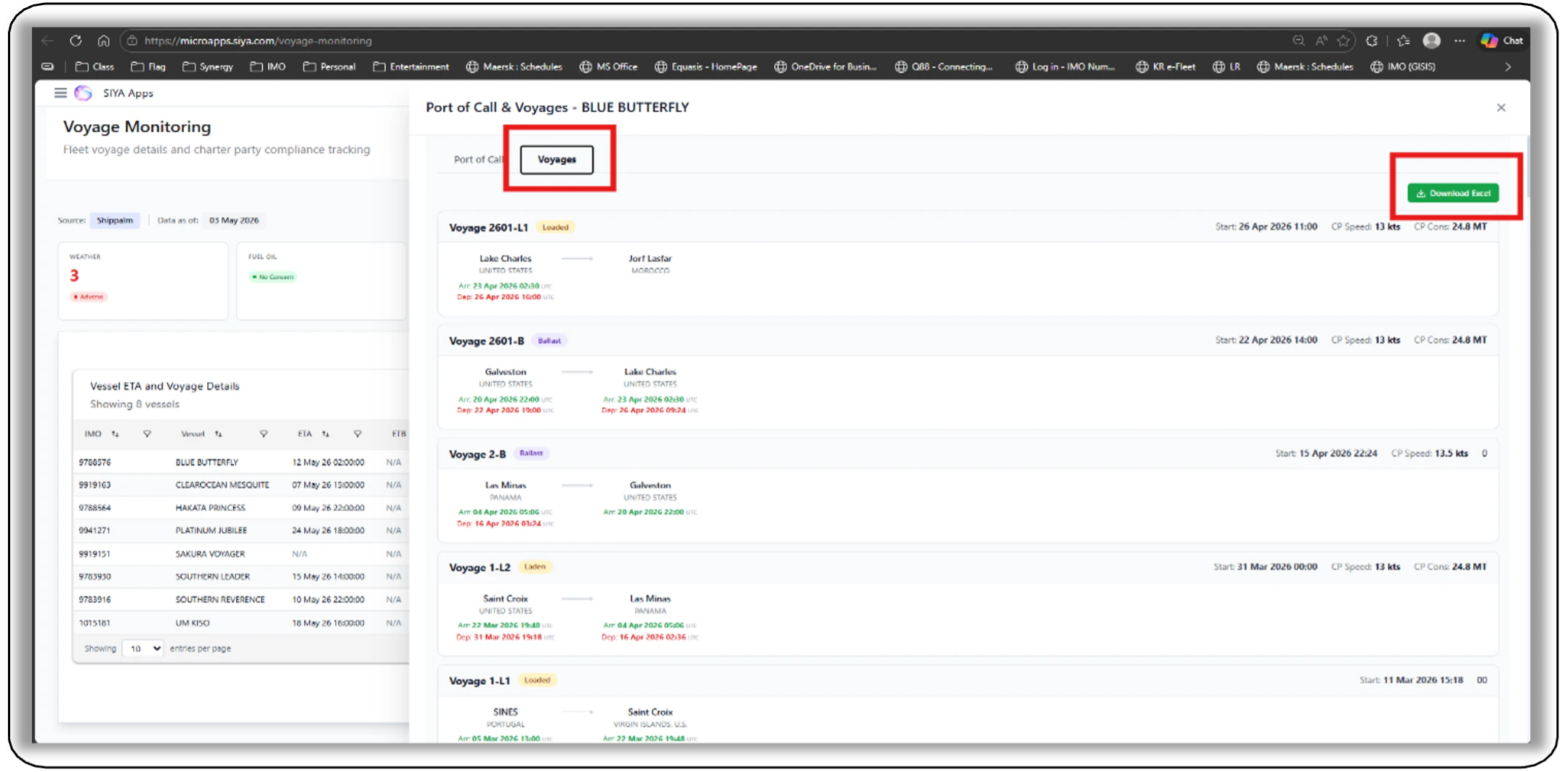
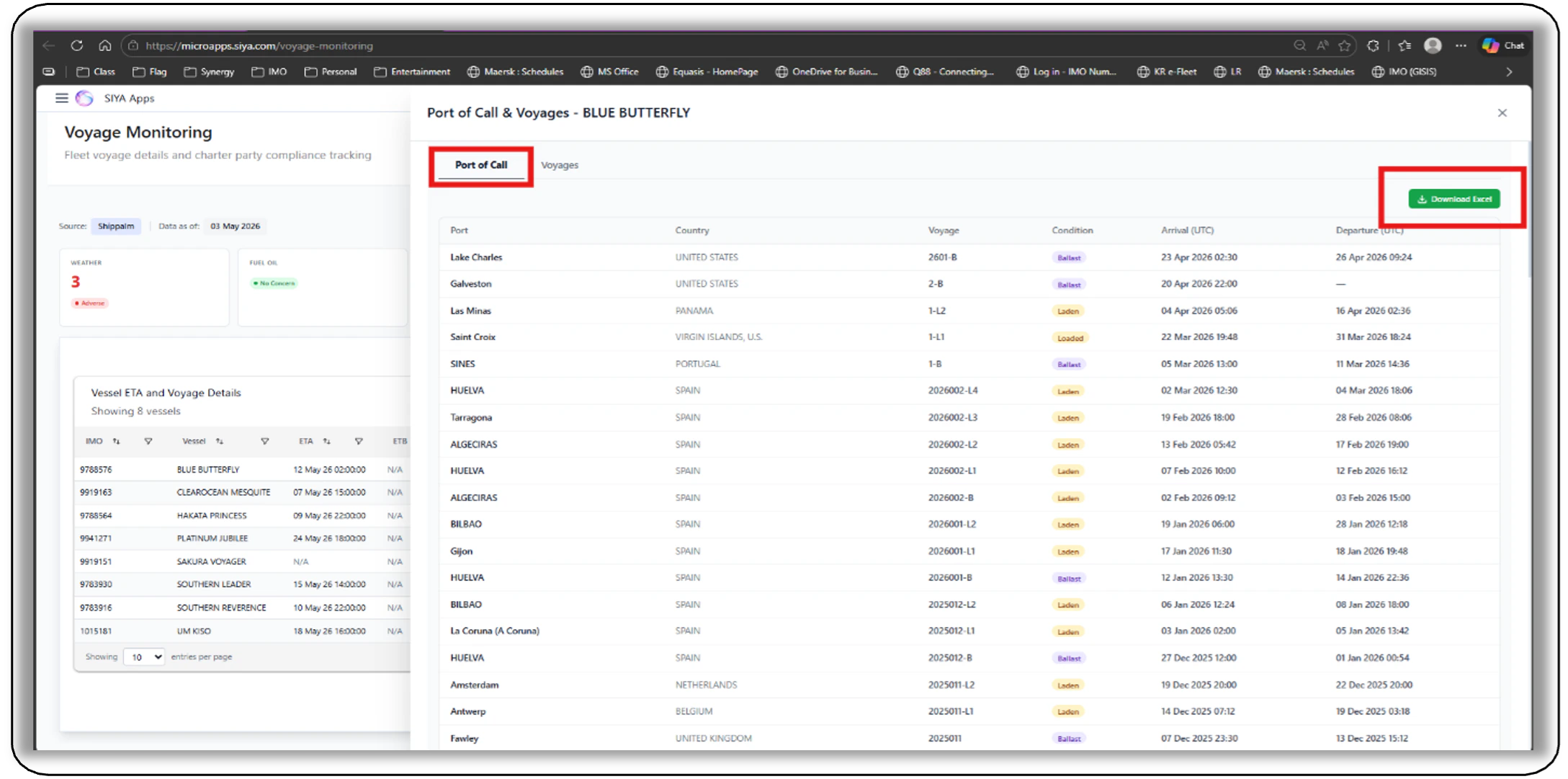
- Introduced a “Port of Calls / Voyages” column in the ETA table providing a detailed vessel-level drawer featuring port call history and voyage summaries.
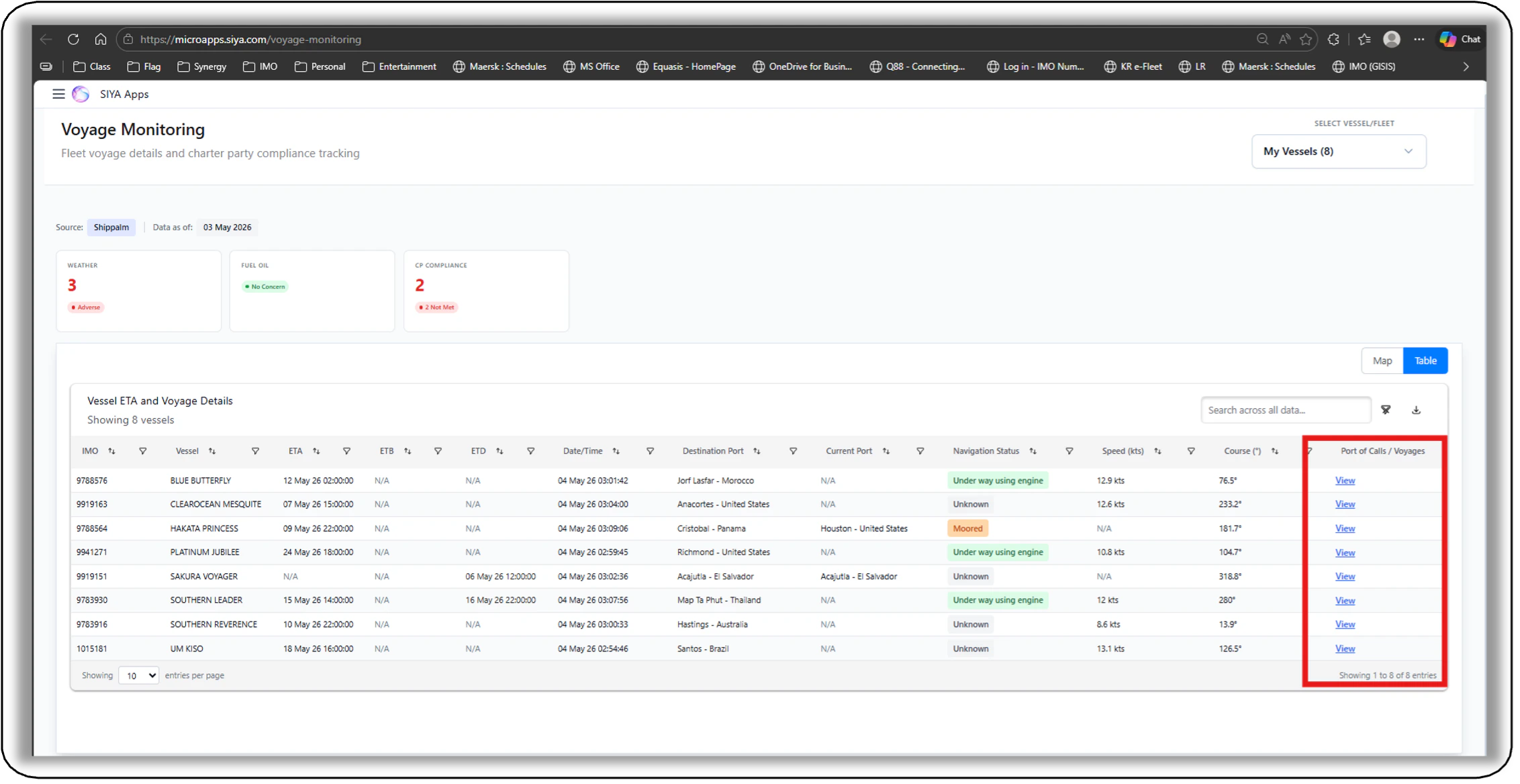
- Enabled Excel export for port and voyage data
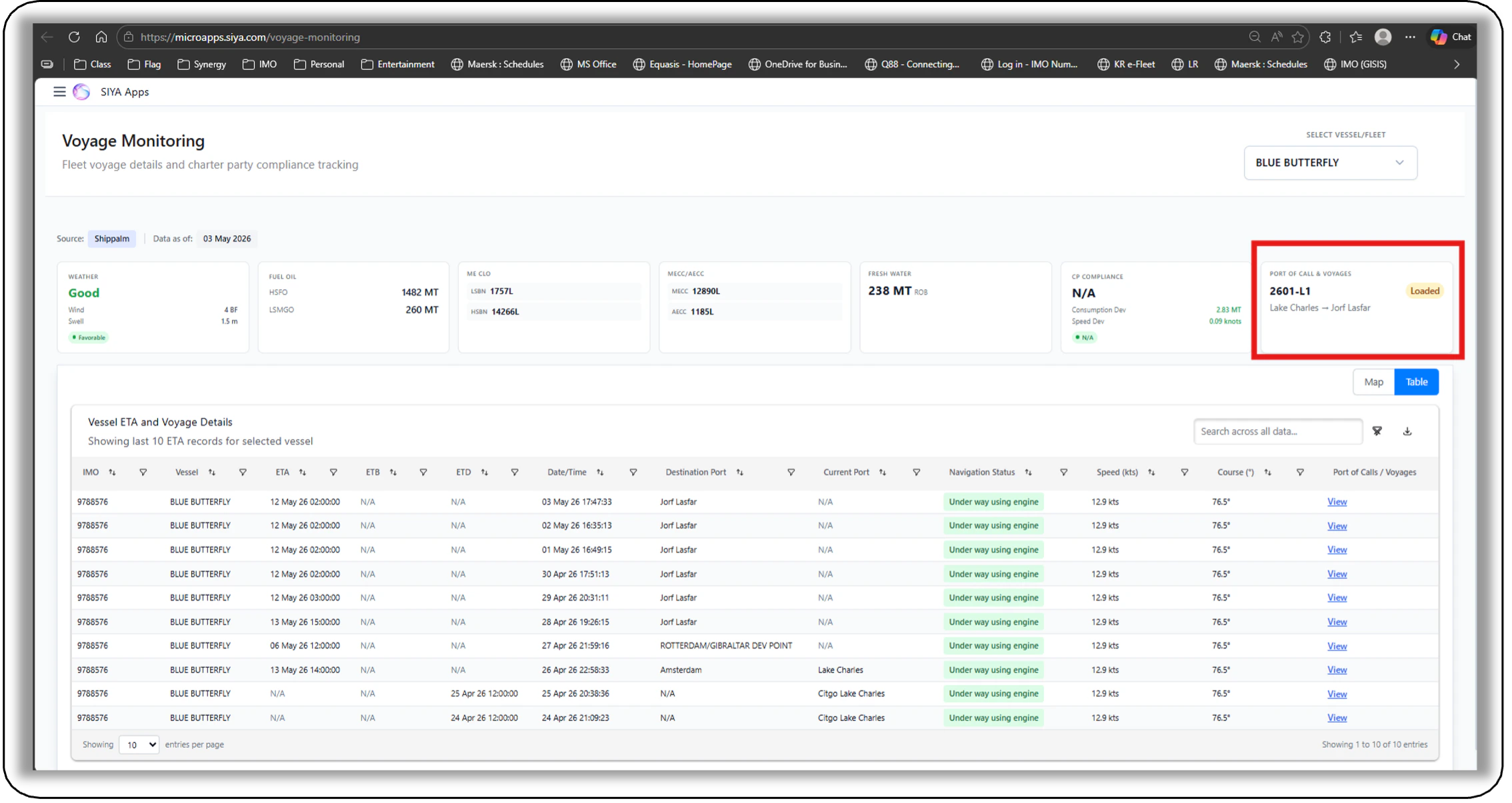
- Added a summary card in the single-vessel view with active voyage details.
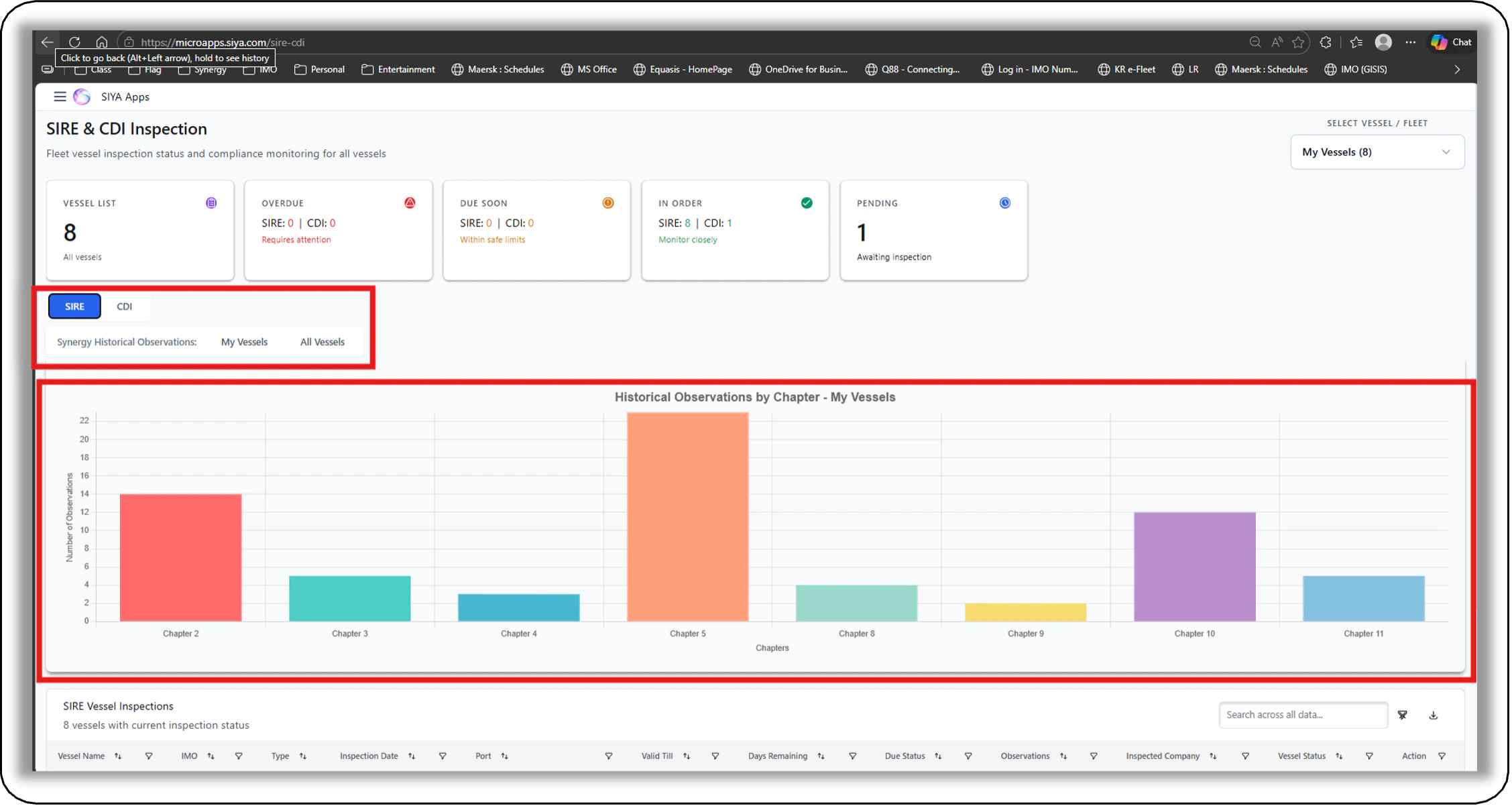
- Sire and CDI Micro App enhancements: Historical Observations Added - Historical Observations for Sire added for both Individual Vessels, Vessel groups (Custom / My Vessel / Fleets) and All synergy vessel.
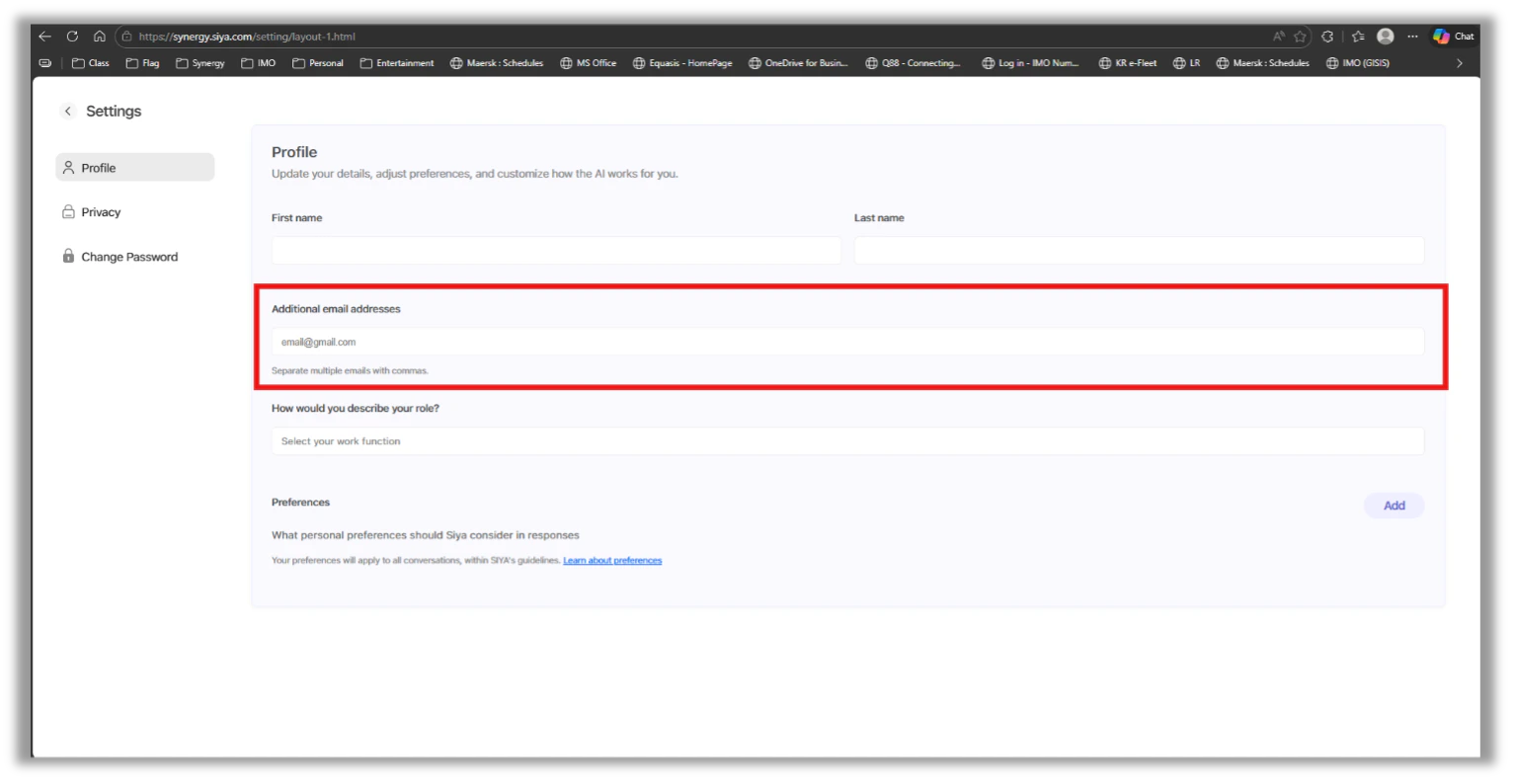
- User Profile: Alternate Email Id Option Included - The users can now add Alternative email IDs. This is important for users working across multiple DOCs, with multiple email Ids as per Vessel Portal App for each DOC. The users can include these email Ids that are in the vessel Portal App in the profile enabling them to receive the right notifications from SIYA to the right email IDs for the vessels.
- PS – the SSO Login remains unchanged under the registered email Id in SIYA. Alternate email Id cannot be used for SSO Login of SIYA
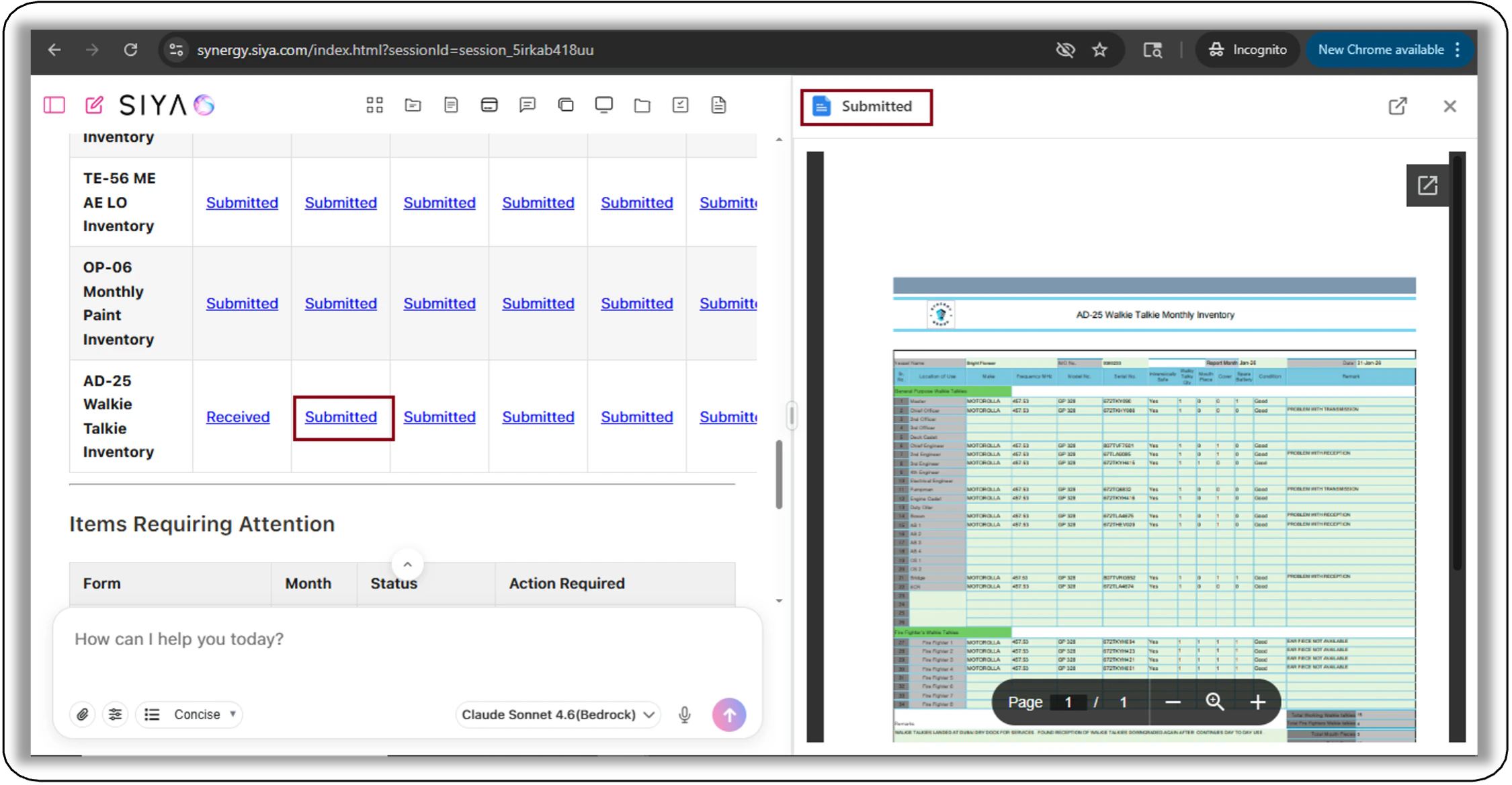
- Month End Reports Viewer updated in chat: Google Docs Viewer implemented - Month End reports PDFs are now rendered via Google Docs Viewer with a loading indicator when viewed through chat.